Knowledge Base
Categories: Security
How to Purchase an SSL Certificate
A Secure Sockets Layer (SSL) certificate helps secure your website by encrypting data transmitted between your site and its visitors, protecting sensitive information and enhancing customer trust. It also enables HTTPS, improves website credibility, and can contribute to better search engine visibility. This guide walks you through the steps to purchase an SSL certificate, configure it for your hosting account and domain, and complete the order process.
Purchasing an SSL Certificate
- Log in to your account.
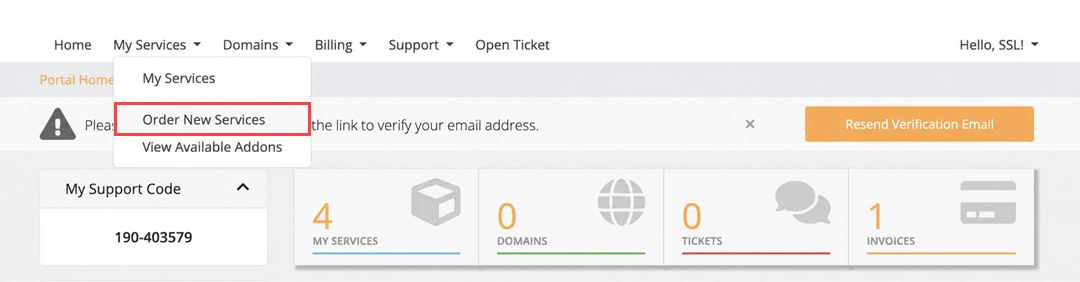
- Navigate to My Services, then choose Order New Services.
- Under Categories, select SSL Certificates, choose the type of SSL you want to purchase, and then click Order Now.
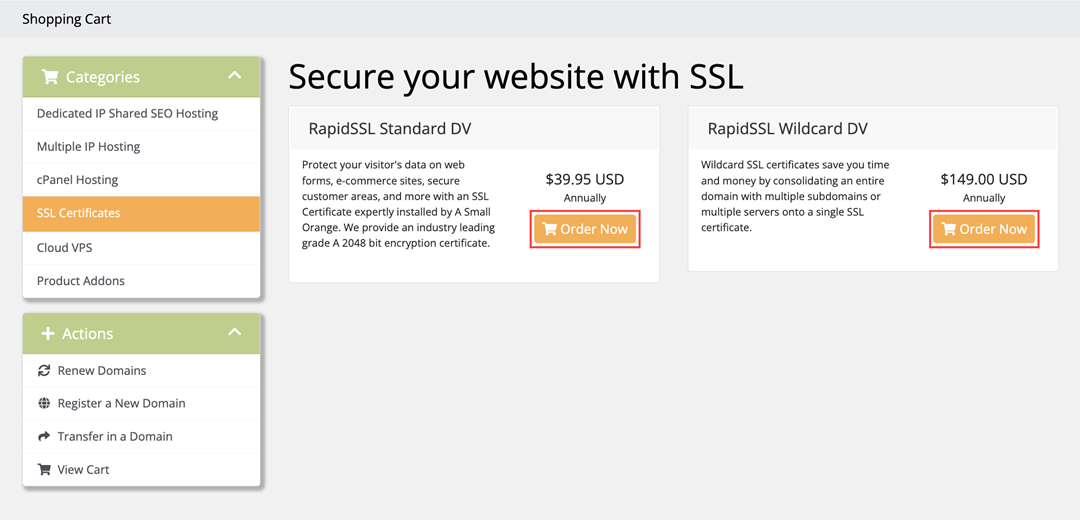
Note: Pricing is shown for illustrative purposes only. For current SSL pricing and available certificate types, visit asmallorange.com or check your account. - In this section, there are a few things to configure:
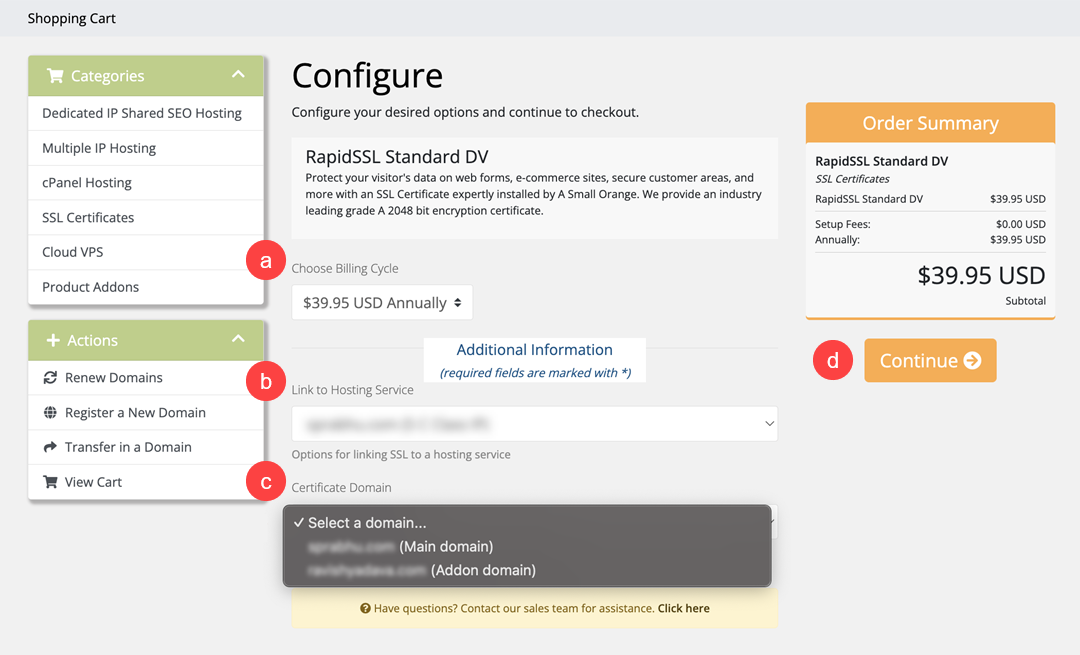
- Choose Billing Cycle: Choose whether you would like to be billed monthly or annually.
- Link to Hosting Service: If you have multiple hosting services, select the hosting service you want to link the SSL certificate to.
- Certificate Domain: If you have multiple domains, select the domain you want to purchase or assign an SSL certificate to.
- Once you are all set, click Continue.
- On the Checkout page, there are a few things to complete your order:
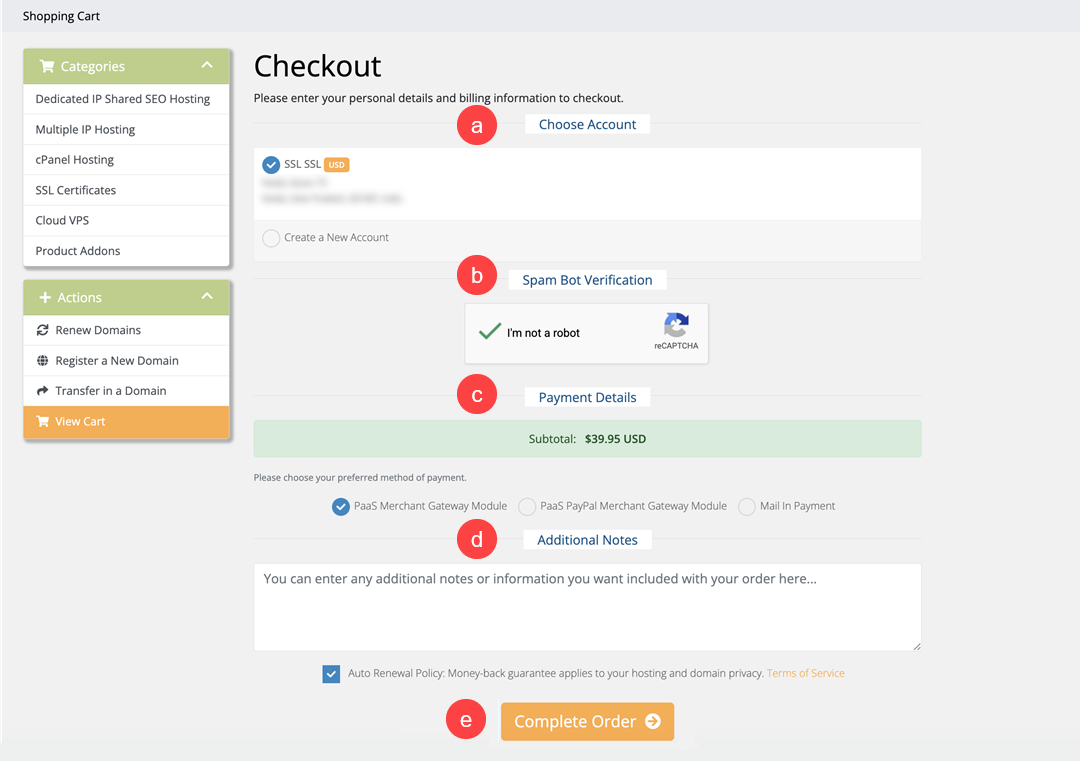
- Choose Account: Choose whether you would like to assign the SSL certificate to an existing account or Create a New Account.
- Spam Bot Verification
- Payment Details: Choose your preferred payment method.
- Additional Notes
- Review the order details, then click Complete Order to finalize your purchase.
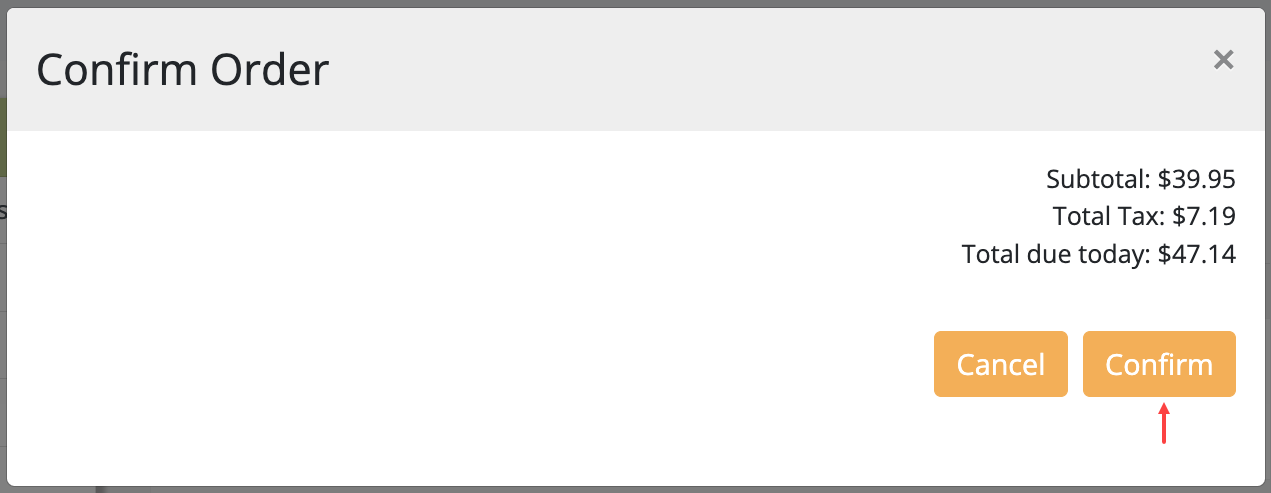
- Tap Confirm to successfully complete your purchase.
- Once you successfully place your order, you will receive a confirmation email shortly.
Did you find this article helpful?