Edit an MX Entry
cPanel manages your email through its own mail server. However, by altering your MX (Mail Exchange Record) entry you can point your email to another mail server, if needed.
Note: cPanel will not be able to manage your email if you change your MX Entry setting. Do not change your MX Entry unless you know what you are doing. If you have any questions or need any help, get in touch with Support.
To alter your MX Entry setting:
-
-
Log into cPanel.
-
Click the Zone Editor in the Domains section.

-
Click the + MX Records link.
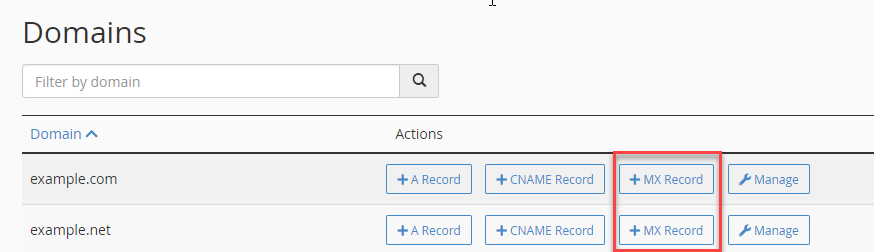
- Enter the priority and the MX records and click on Add An MX Record.
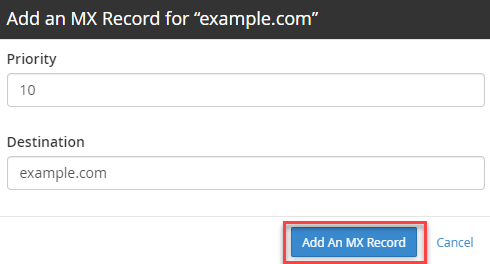
Note: The priority can be any number. The lower the number, the higher the priority. If you have multiple email servers for your domain, then our server should have the highest priority
-
Click the Add an MX Record button.
-
For more information about modifying your DNS records, please check this article: Point Your Domain to Us.